Friday, January 20, 2017

FlipGrid Possibilities

Examples

  • Share videos of fun class activities for the entire year (ex. field trips, visitors, special activities)  
  • Use an iPad or Kindle to create a classroom tour highlighting different parts of your room.
  • What do you wonder about?  (Create a digital Wonder Wall. These questions can guide
    independent research, book orders, and class lessons.)
  • What do you know about _____________? Record at the beginning and end of a unit.
  • What did you learn?
  • What questions do you still have?
  • What was your favorite activity from the year?
  • What did you like best about your field trip?

Build Community in Your Classroom
  • What was your favorite part about the snow break?  
  • What do you like to do for fun?
  • What career do you want to have when you grow up? Why?

English Language Arts
  • Who was your favorite character? Why?
  • Read a short poem.
  • Tell a joke.
  • Create a book trailer (like a commercial to get others to read the book).
  • Start a make-believe story and each person adds a new sentence.
  • Use the vocabulary word in a sentence.

Math
  • Explain how you got your answer.
  • Where do see math in the world?

Science
  • Make a prediction about the experiment we’re going to do.
  • Tell about your research project.
  • Record videos of experiments.
  • Share your STEM creation.

Social Studies
  • What is your dream for a better world?
  • Invite others from around the world to answer questions.

Thursday, January 19, 2017

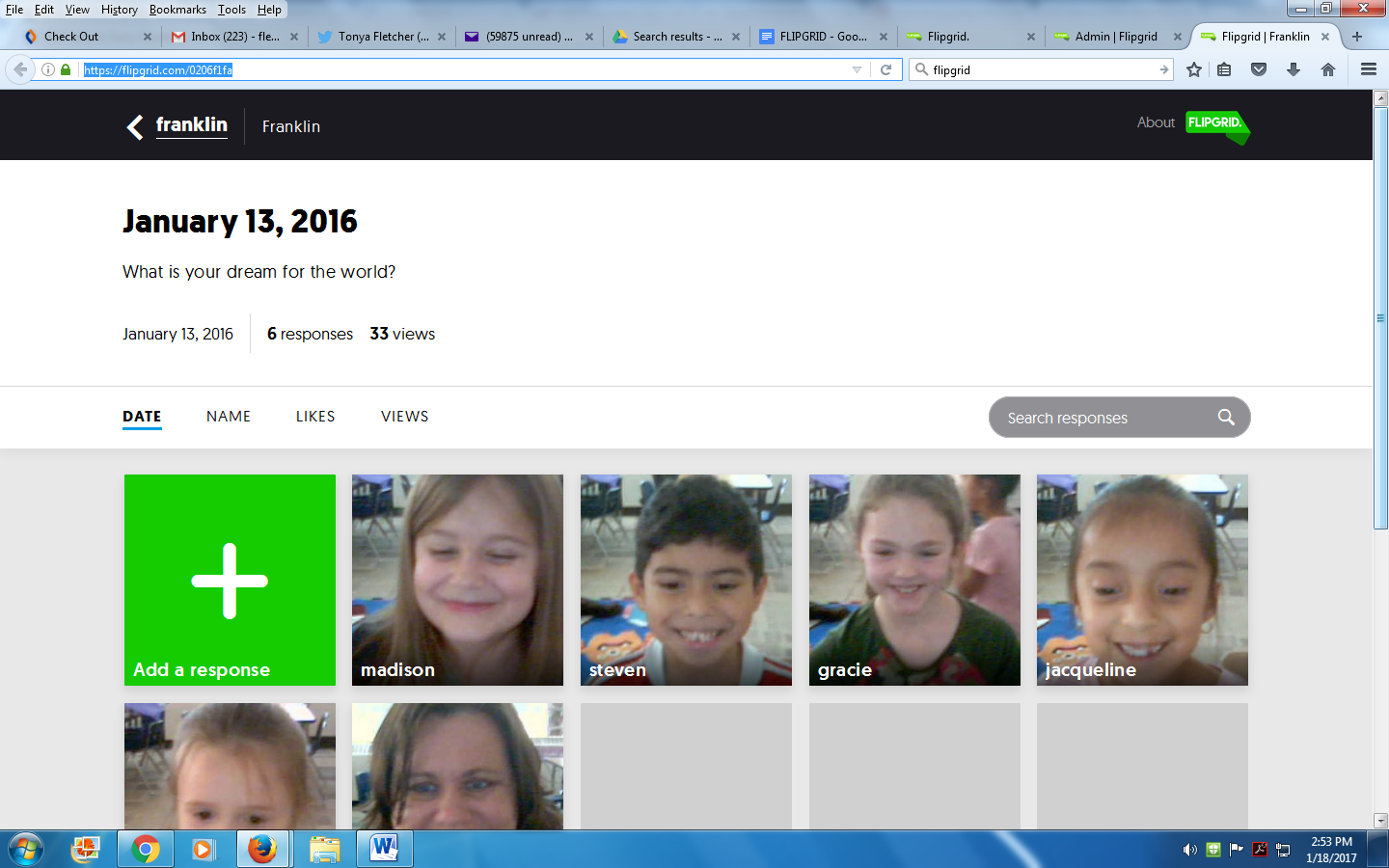
FlipGrid: Getting Started

Give your Students a Voice with FLIPGRID

Flipgrid is a means for teachers to generate grids of short discussion-style questions. Students reply to those questions through video. Anyone with your link/code can record a video response.

Flipgrid works with
  • Chromebooks
  • Computers with webcams
  • iPads
  • Kindle Fires
  • Smartphones

It works best with latest version of Google Chrome.

FlipGrid One is free for teachers. Teachers may have one grid with multiple questions/topics.
FlipGrid Classroom is a paid service that allows you to have multiple grids.


For more information, check out these resources:
FlipGrid Integration Ideas: https://docs.flipgrid.com/

Saturday, December 24, 2016

Author Visit: Barbara O'Connor

Although it took many months to work out the logistics, Barbara O'Connor's visit was a big success! O'Connor's books have been nominated for awards in 38 states and she has traveled the country visiting schools and speaking at conferences. 

It was a pleasure to meet Mrs. O'Connor!


Read more about it in the Mount Airy News. 
Check out her website at www.barboconnor.com.


Thursday, September 1, 2016

Ozobots


How cool is it that those are our teachers on Ozobot's Instagram page?  Please look over the shorts.  This was an optional workday that landed on the Friday before school started. Preparing rooms can be hot, messy work!

We took a little time out of our day to have an Ozobot Tryazon party.  Everyone who came and played with the Ozobots really enjoyed them. Several people said these were definitely going on their children's Christmas lists.  Shhhh!

As an elementary educator and mom, I LOVE these powerful little robots! I first won an Ozobot through a grant and I've since been able to expand my collection. I believe the 2.0 is the one you need if you want to use it with an iPad, but you can still do plenty with the original Ozobot. They work by reading codes written with markers. 


You can create original codes or you can simply use the ones included in the kit. This Starter kit comes packed with the markers, instructional materials, and even fashion show accessories. You can use the high quality markers included in the starter kit or you can use other markers. 


If your Ozobot is not following the code, make sure you don't have any white spaces on the line it is following. Also make sure the line is thick enough. These are great for home, school, and makerspaces. There are tons of lessons available here: http://ozobot.com/stem-education/stem-lessons. 


These teachers are ready to get some for their classrooms. 


DonorsChoose is a great way to add Ozobots in your curriculum. My colleague Shaunda just added several to her fourth grade classroom by writing a DonorsChoose project.  


Rachel won one of the Ozobots and she and her daughter LOVED it!


Thanks, Tryazon and Ozobot! This was such a wonderful opportunity to share new STEM materials with my colleagues!


Monday, July 25, 2016

Summer Reading

Our school system's Media Director encouraged the elementary media coordinators to offer summer reading activities. A couple of schools had a book bus that traveled out into the community providing free books for children. Some schools offered open library times. Other activities included giving away free books before school let out for the summer, working with the local libraries, hosting maker afternoons, and visiting Bible Schools and ball games with free books.

Our first summer reading activity was to allow each child to choose 3-4 books for the summer. One child said it was like a free Book Fair. There was a lot of excitement that day!

 
We also sent home calendars with reading activities, an invitation to visit our Little Free Library, dates of summer reading activities, and passwords for digital resources.

Our local library does a fantastic job offering summer programming. My friend Robin and I made the front page of the local newspaper as we were cheering at their first event, a pep rally for reading.


Photo Credit: MountAiryNews.com

We also got to meet two lovely NFL cheerleaders.


I hosted a Comic Con Jr the next week. We had fun making crafts, playing games, listening to the book Captain Perseverance, and showing off our costumes.


In July our school hosted a Garden Morning. Each child received three free books. Mrs. Lowe, one of our reading teachers, heads up our school garden. Many hands make light work and it was nice to prepare several beds for planting. The best part is that the food goes to our students.

This past Saturday I helped Robin with a book giveaway at the first ever Dave's Family Fun Day. Dave Wilmoth died at just 24 and his friends and family set up a foundation that assists local student athletes and law enforcement officers and families. The Fun Day was very successful and I even saw several new ideas for our reading celebrations.

I have been impressed with my colleagues' activities and I have loved seeing kids get excited about new books. Summer programming is definitely here to stay!


ISTE #Can'tShushThis

One of the perks of being an Imagination Chapter leader is connecting with the other chapter leaders. They are amazing!

I have mentioned Dave Hartzell, a fellow North Carolinian who reached out to me in August; Steve Auslander, whose class did a Mystery Skype with one of my classes; and Steve Sherman, who led several Google Hangouts with our classes.

When I say chapter leader, it kind of implies that is all they do. These leaders are involved in so much more. They are like superheroes.

Kristina Holzweiss is another fabulous chapter leader. Kristina is the 2015 School Library Journal and Scholastic School Librarian of the Year. She's also a DonorsChoose guru who has helped her school earn more than $240,000 in materials. In addition, she founded the SLIME Expo, a public makerspace event for hundreds of kids in Long Island. (The list really could go on and on.)

Kristina spoke at the International Society for Technology in Education Conference in Denver this summer.

She shared how school libraries transform student learning. It was so nice to be included in her speech and have our students' photos included in her presentation (tinyurl.com/istelib).


The slide showed our students displaying an invention that won Honorable Mention in the international Inventor's Challenge, second graders using a Finch robot, fifth graders putting together a drone, and third graders working on a research project.

Kristina, thanks for sharing our stories. I have learned so much from you and you continue to inspire me each and every day.

Sunday, July 24, 2016

Inventor's Challenge

Why am I writing about something from March? I realized I never wrote about one of our most exciting events of the year!

Back in March, I had just finished up the Book Fair, was celebrating Read Across America Day, competed in our district's annual Elementary Battle of the Books, and submitted my first ever yearbook. It was a busy month! But now it's time to share about our first ever Inventor's Challenge.

As an Imagination Chapter we participate in three big events (in addition to weekly activities.) They are the Global Cardboard Challenge, the Inventor's Challenge, and the Earth Day Cardboard Challenge.

I had previously served as Science Fair Coordinator for about eight years so I was familiar with the process of coordinating a school-level science competition. The Science Fair is for third grade and up.  I decided to open up our Inventor's Challenge to K-5.

I introduced the competition during my regular media classes, just like I do with the Science Fair. Students really enjoyed Kid President's video How to Be an Inventor!

I then shared Kelvin Doe's story. Kelvin, who lives in Sierra Leone, taught himself engineering so that he could broadcast his own radio show. Here's a kid who is picking through trash, working during the night, overcoming obstacles of all kinds...  He ends up involved with MIT and Ted Talks and he becomes a viral sensation. 

We researched other kid inventors and went through the design process.  Check out all of the resources here. I also sent information out to teachers and parents.

The goal of our Inventor's Challenge was simple: kids were encouraged to make something original, cool, useful, maybe even wacky… They needed to invent something that solves a problem in their schools or communities. 

They could create, design, or invent one of these or something else.
  • Toy
  • Game
  • Board Game
  • Safety Feature
  • Health Solution
  • Technology Device
  • Something with recycled materials
  • Something new

Students had to complete the following information.

  • What’s the name of your invention?
  • What problem does it solve?
  • What does it do?
  • What inspired you to create your invention?
  • Who does your invention help?
  • Did you run into any challenges? How did you overcome them?
  • Share your ideas, sketches, and prototypes.
     
Classroom winners shared their projects during our Invention Convention. Check out the pictures!

First place went to a pair of students who invented LEGO-Opolis, a LEGO board game. That cute kid on the left is actually my own, but the judging was by several other people. Second place went to Ever who invented medical tape that left a line showing where the end of the tape was on the roll. 

How exciting when we learned Kendall and Brycen won Honorable Mention at the international level in the Imagination Foundation's and AT&T Aspire's Inventor's Challenge. 


The President of AT&T sent them this letter. There were hundreds of entries from kids all over the world.

After the Inventor's Challenge, I began to see a lot more inventing around the school.  Kids would come in and tell me about their new ideas.  We delved more deeply into the design process.

I wonder what inventions we will see next year!